Beauceron Security Awareness
Last updated: January 6, 2026
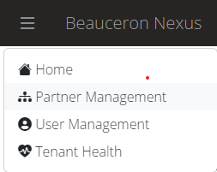
Access Partner Management under the menu in the upper left
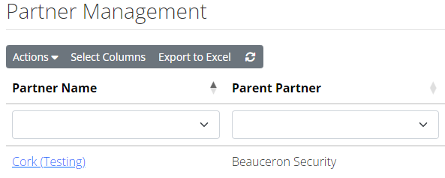
Click on your Partner Name in the list to bring up your Partner Settings
Click on the Service Accounts tab, any existing accounts will be listed.
Click on Actions and then Add Service Account
Give the new account an appropriate name and select Tenant API Access (Read-Only) as the Partner Role
Click Add Service Account
Copy this key and follow the next steps in the Cork Vantage platform
The key is only visible once, if you misplace it you will have to generate a new one.
Navigate to the security awareness integration section of the Cork Vantage platform
Click + Configure next to Beauceron Security Awareness
Paste your Nexus API key from step 8
Click Connect and continue