Avepoint
Last updated: February 18, 2026
Register an App for API Access in Avepoint
Required permissions
elements.customers.read.allelements.jobs.read.allelements.cbprotected.read.all
Save Client ID/Client Secret
Register Tenant App Profiles for your each of your tenants
Step 1: Select customer and tenant
Select a customer/tenant pair
Step 2: Select services
Select
Elements premium services > Other premium services
Step 3: Choose setup method
Choose
modern
Step 4: Consent to Apps
Follow the steps for other premium services
The app-type should be APElements Security and Analysis
Note: App permissions may take up to 24 hours to propagate in Microsoft, so user account information may be missing on the first sync
Find the Avepoint integration on the integrations page in Cork Vantage
Paste your Client ID/Client Secret and press Connect
Troubleshooting
Sometimes missing/unauthorized tenant app profiles will omit user data from specific tenants, if you're missing user information confirm an app tenant profile is in place, and re-authorize it by following these steps
In the Avepoint portal, navigate to
Settings > Customer app profilesectionFilter
App typetoAPElements Security and AnalysisThe items highlighted in yellow need to be re-authorized, so check the box and select
Re-authorize appand authenticate with the client M365 account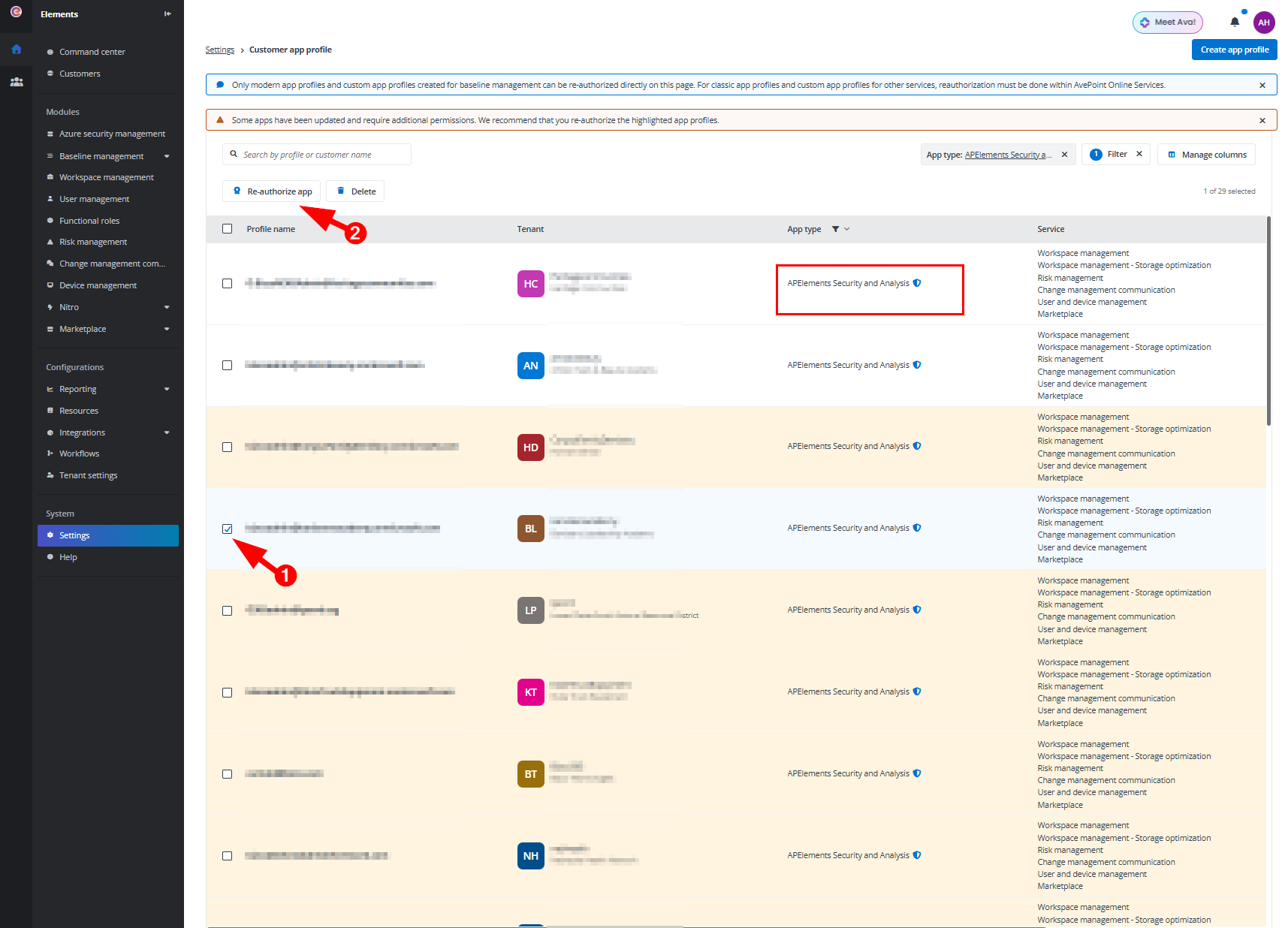
After re-authorizing, refresh the connection in Cork Vantage to see the users appear