Veeam
Last updated: November 26, 2025
How to connect Veeam to Cork
Generating API Key
- Log into the Veeam Service Provider Console
- Click Configuration in the top right corner of the screen

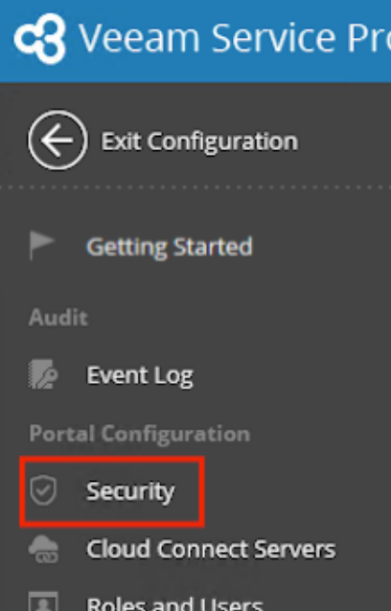
- On the left hand nav bar, click Security
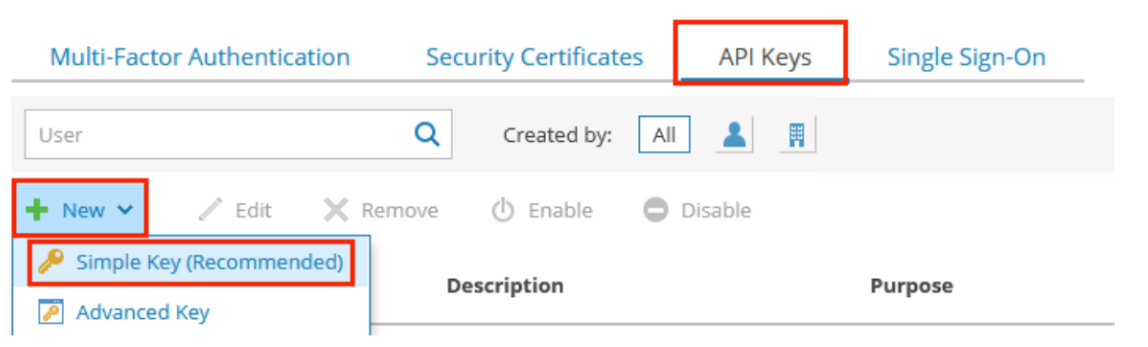
- Navigate to the API Keys tab and Click New > Simple Key
- Copy the Private key
- Continue to the “Connecting Integration” section of this article
Connecting Integration
- Log into Cork Protection in a new browser tab or window
- Navigate to the Integrations page
- Scroll down to the Business continuity and disaster recovery section
- Locate Veeam and click Configure
- Paste the previously copied Private Key into the Private Key field.
- Enter your Veeam Service Provider Console address into the API Host field (Ex: https://veeamspc.yourdomain.com:1280)
- (Optional) If desired, enter a display name for the integration
- Click the “Connect” button